
By Charles Fu, Coolah
Quick answer: Treat a server room aircon failure as an incident, not a comfort issue. Verify the alarm at equipment-intake level, activate your IT and facilities escalation plan, reduce non-essential heat load through an approved shutdown process, protect airflow, and arrange properly vented temporary cooling while the permanent system is repaired.
An aircon failure in a Singapore server room is different from a warm office. A meeting can move elsewhere; a server rack, network closet, CCTV recorder, telecom cabinet, storage device, or UPS room may not have that luxury. When cooling stops, the issue quickly becomes one of IT availability, equipment protection, and business continuity.
The right response is not to panic or improvise. It is to follow a clear sequence, use the room’s monitoring data, and bring the right people into the incident early. This guide explains what a facility manager, IT manager, operations manager, or business owner can do in the first 30 minutes of a server room aircon failure in Singapore, when a temporary portable aircon rental may help, and what information allows an emergency cooling team to arrive properly prepared.
This is a practical response guide, not a replacement for your equipment manufacturer’s instructions, your internal business-continuity plan, or a qualified HVAC and electrical professional. Every server room, data room, and network closet has different heat loads, power arrangements, ventilation paths, and equipment limits.
Why a Server Room Aircon Breakdown Needs a Different Response
Servers do not need an ice-cold room; they need stable, properly managed inlet conditions and unobstructed airflow. ASHRAE’s 2021 thermal reference card lists a recommended air-cooling range of 18°C to 27°C for Classes A1 to A4, while allowable ranges vary by equipment class and manufacturer. The important point is that “allowable” is not the same as “ideal,” and a room may contain several equipment types with different limits. [1]
Cisco likewise warns that blocked airflow or excessively warm intake air can trigger an over-temperature condition and protective shutdown. Its site-preparation guidance emphasises clean, ventilated, air-conditioned environments, front-to-back airflow, and avoiding warm exhaust air being drawn back into equipment. [2]
For a Singapore business, that means a failed split unit, CRAC unit, fan-coil unit, condenser, or building cooling system can turn into a major operational risk long before the room merely feels uncomfortable. The goal is to buy time safely while the permanent cooling fault is diagnosed and repaired.
Swipe left or right to view the full table.
| What is at risk | Why the first response matters |
|---|---|
| Servers, storage, switches, routers, firewalls, and telecom equipment | Rising intake temperatures can reduce performance, trigger alarms, or initiate protective behaviour depending on the device and its configuration. [2] |
| Retail, clinic, tuition-centre, studio, and office operations | A small network closet can support Wi-Fi, POS systems, CCTV, access control, communications, and shared files. |
| Facilities and IT teams | A coordinated response avoids wasted time, conflicting instructions, overloaded circuits, or an ineffective temporary-cooling setup. |
| Customer and business continuity | Early escalation gives technicians and a temporary cooling provider the best chance to stabilise the space before a controlled shutdown becomes necessary. |
Before the First 30 Minutes: Know the Difference Between an Alarm and an Emergency
Every site should define its own threshold based on the equipment manufacturer’s specifications, monitoring system, and risk tolerance. Do not rely on a wall thermostat alone. If possible, check temperature sensors at or near the front air intakes of the affected racks, because that is where the equipment is actually breathing.
A useful incident record starts with five details: the current inlet temperature, the direction and pace of change, the affected room or rack, the status of the primary cooling equipment, and the availability of a secondary or temporary cooling route. Screenshots of the monitoring dashboard, photos of the rack layout, and a short video of the aircon display can save valuable time when you call your HVAC contractor or emergency aircon rental provider.
Minutes 0–5: Verify, Escalate, and Protect the Incident Response
1. Confirm the problem without losing time
Acknowledge the alarm and verify it. Check whether the primary aircon unit has stopped, is producing warm air, has a fault code, is leaking, has lost power, or is simply no longer keeping up with heat load. Compare the room sensor with any available rack-inlet sensor. If an aircon unit is making unusual sounds, showing an electrical fault, or leaking near electrical equipment, do not attempt unsafe repairs yourself.
2. Activate the right people at the same time
Notify the person responsible for IT operations, the facility or building manager, the approved HVAC contractor, and your internal incident owner. Do not wait to see whether the temperature “settles down” if monitoring shows a sustained upward trend. A server room emergency often needs parallel action: one team diagnoses the permanent system while another secures temporary cooling.
3. Start an incident log
Write down the time of the alert, sensor readings, actions taken, names of people called, equipment affected, and instructions received. This makes handovers easier, supports post-incident review, and helps the next technician understand what happened before arrival.
4. Reduce heat load only through an approved IT process
If your business-continuity plan permits it, IT may decide to pause non-essential workloads, move tasks to another environment, or conduct a controlled shutdown of non-critical equipment. Do not pull plugs or shut down production systems without the IT owner’s approval. The safest response is always one that protects both equipment and the business process it supports.
Minutes 5–15: Preserve Airflow and Avoid Common Mistakes
When a room is overheating, people naturally want to open every door and point every fan at the racks. That can be useful in a carefully planned situation, but it is not a universal fix.
Keep cold air in front and hot air away from the intake
Most rack-mounted IT equipment is designed for front-to-back airflow. Keep the front intake side clear, and avoid allowing the warm exhaust from the rear of one device to flow back into another device’s intake. Cisco’s guidance specifically recommends hot-aisle/cold-aisle alignment where applicable and warns against equipment drawing in warm exhaust air. [2]
Remove boxes, loose packing materials, cleaning equipment, or temporary furniture that blocks vents, rack doors, or the path to the cooling unit. Keep access routes clear for facilities staff and the emergency portable aircon team.
Do not open the door reflexively
Opening a server room door can sometimes be part of a deliberate contingency plan—for example, if there is a cooler, conditioned adjacent space and a defined way to move hot air out. But in Singapore’s humid climate, simply opening the room to a warm corridor or outdoor air may introduce heat and moisture without solving the problem.
The correct question is not “Should we open the door?” but “What is our controlled airflow path?” If there is no deliberate supply-and-exhaust plan, ask your facilities or HVAC team before changing the room’s containment arrangement.
Fans can assist airflow—but they do not provide refrigeration
A fan may help break up a local hot spot or direct warm exhaust away from a rack intake. It does not remove heat from the room and does not dehumidify the air. Do not use water, ice trays, wet towels, or improvised cooling methods around live IT equipment. They add avoidable electrical and moisture risk without providing reliable server-room cooling.
Minutes 15–30: Arrange Emergency Server Room Cooling
If the permanent cooling system cannot be restored quickly, you need a bridge solution. That is where emergency server room aircon rental in Singapore can be valuable.
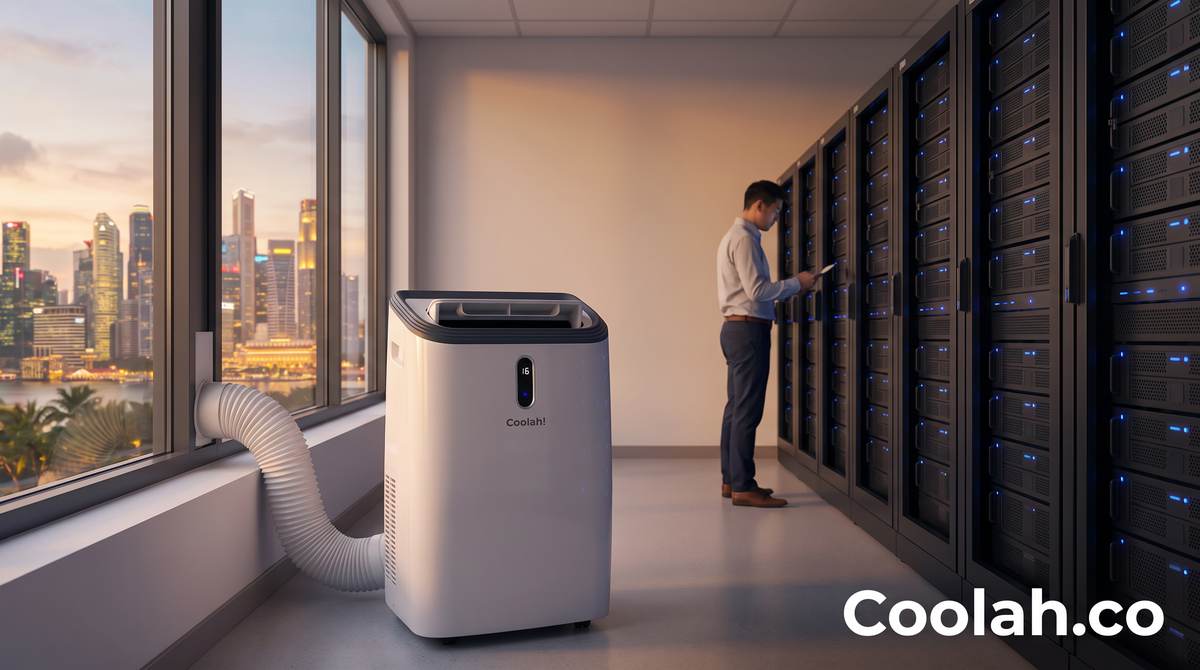
A portable air conditioner provides active refrigeration: it removes heat from the room air and rejects that heat through an exhaust path. Unlike a fan, a properly positioned portable aircon can provide targeted temporary cooling for a server rack, network closet, IT room, office server room, or small data room while technicians repair the permanent system.
However, a temporary portable aircon is only effective when its practical requirements are planned correctly.
Swipe left or right to view the full table.
| Information to prepare before you call | Why it helps the emergency response |
|---|---|
| Clear photos or video of the room, rack fronts and rears, aircon unit, sockets, door, ceiling, and possible exhaust route | Helps the team assess placement, access, hose routing, and physical constraints before leaving for site. |
| Approximate room dimensions, number of racks, and the equipment that is still running | Helps identify the likely heat load and whether one temporary unit is suitable or whether a different escalation is required. |
| Available electrical supply and known circuit limits | Helps avoid overloading a circuit that is already supporting critical IT equipment. Electrical suitability must be assessed on site where required. |
| A feasible exhaust route | A portable aircon must discharge its extracted heat outside the cooled space—via a safe, approved route such as a window, designated vent path, drop ceiling route where appropriate, or other assessed solution. |
| Loading bay, lift, access card, security-registration, parking, and after-hours details | Reduces preventable delays when the situation is urgent. |
| Contact person with authority to approve access and positioning | Keeps the installation moving and avoids confusion during an out-of-hours callout. |
What a Proper Temporary Cooling Setup Looks Like
A portable aircon should never be treated as a box to be dropped in a corner. The placement, exhaust route, airflow direction, condensate management, and power arrangement all matter.
1. Target the equipment intake—not the room’s empty space
For server room cooling, the useful question is where the cool air is going. A technician should position the unit so that its air reaches the affected equipment’s intake path without blocking doors, vents, cable routes, or access to emergency equipment. The aim is not to create a cold-looking corner; it is to improve the conditions experienced by the hardware.
2. Route the exhaust heat safely out of the cooled space
Every portable aircon moves heat. If its exhaust hose discharges into the same small server room, the room will fight against its own cooling. A sensible setup identifies an exhaust route first, then positions the unit around that route. Do not force hoses through unsafe openings, block fire exits, damage building finishes, or make unapproved penetrations into walls, ceilings, or doors.
3. Confirm electrical and drainage considerations
Portable cooling needs a suitable power source. Avoid sharing an overloaded circuit with critical IT equipment or connecting through unsuitable extension arrangements. In humid or prolonged operation, condensate may need monitoring or drainage. Your site representative should understand the unit’s operating instructions and know whom to call if conditions change.
4. Keep it temporary and keep monitoring
A portable aircon is an emergency or short-term cooling measure—not a replacement for a correctly designed, maintained primary cooling system. Continue monitoring temperature and humidity, observe the equipment’s own alerts, and follow the repair plan. If readings continue to rise despite temporary cooling, inform your IT and HVAC teams immediately and follow the site’s controlled-shutdown or recovery process.
A Real Singapore Example: Cooling Before Operations Were Lost
Coolah’s server room aircon rental service page documents a response at Singapore Wake Park, where a server-cooling failure was affecting electrical operations. The deployment involved directing temporary cold air at the affected rack while the site stabilised its systems.
The lesson is not that every site requires the same unit or placement. The lesson is that emergency cooling works best when the facility provides timely information, the equipment is positioned with intent, and the temporary solution is treated as part of an overall repair and continuity plan.
How Coolah Supports Temporary Server Room Cooling in Singapore
Coolah provides portable aircon rental for server rooms, network closets, IT rooms, offices, retail sites, clinics, studios, tuition centres, and operational spaces that need temporary cooling during an aircon breakdown, scheduled maintenance, landlord works, renovation, or a delayed repair.
Our current server-room service is designed around three practical priorities:
Swipe left or right to view the full table.
| Coolah service priority | What it means in practice |
|---|---|
| Fast emergency response | The team prioritises urgent cooling requests and works to arrange same-day deployment where availability and site access allow. |
| Professional placement and setup | We assess the room, discuss the intended cooling target, and route the exhaust hose as safely and practically as the site permits. |
| Clear, human support | We ask for the information that matters—photos, room details, power, access, and exhaust route—so that the delivery is not a blind guess. |
For a broader corporate requirement, see office aircon rental in Singapore. For unit options and longer-term needs, visit our portable aircon rental rates.
Prevent the Next Emergency: A Simple Preparedness Checklist
A 15-minute planning discussion today can make a future aircon failure less disruptive. Add the following to your site’s facility and IT continuity notes:
Swipe left or right to view the full table.
| Preparation item | Practical action |
|---|---|
| Temperature monitoring | Confirm who receives alerts, where the sensors are located, and the escalation threshold for the site. |
| Contact list | Keep the HVAC contractor, building management, IT incident owner, security desk, and temporary cooling provider available after hours. |
| Access plan | Record loading-bay, lift, visitor registration, parking, security, and after-hours procedures. |
| Room information | Keep current photos, room measurements, rack layout, power‑socket details, and possible exhaust routes. |
| Equipment limits | Maintain a record of relevant manufacturer operating guidance and the approved controlled-shutdown process. |
| Maintenance planning | Schedule preventive maintenance, test monitoring alerts, and plan temporary cooling before a known shutdown or renovation. |
Frequently Asked Questions About Emergency Server Room Cooling
How fast can a server room become too hot after the aircon fails?
There is no safe universal timeline. The rate of temperature increase depends on the room size, insulation, equipment load, rack density, ventilation, outdoor conditions, and whether any backup cooling remains. Use your monitoring data and the equipment manufacturer’s limits rather than assuming you have a fixed number of minutes.
Can I use a portable aircon in a server room in Singapore?
A portable aircon can be a practical temporary cooling option for some small to medium server rooms, IT rooms, network closets, and office equipment rooms when it has suitable power, a safe exhaust route, and appropriate placement. It should be assessed against the site’s equipment, room design, and safety requirements.
Does a portable aircon need a window in a server room?
It needs a safe way to exhaust hot air out of the cooled space. A window is one option, but not the only one. Depending on the building and the room, a technician may assess an approved vent path, drop-ceiling route, adjoining space, or other appropriate exhaust solution. No unapproved holes, unsafe door gaps, or blocked fire routes should be used.
Are fans enough during a server room aircon breakdown?
No. Fans may help move air locally, but they do not remove heat or dehumidify the room. They are not a replacement for active cooling or an emergency portable air conditioner.
Should I shut down my servers if the room temperature rises?
Follow your internal IT incident plan and the relevant equipment manufacturer’s guidance. A controlled shutdown of non-essential workloads may be part of the response, but it should be authorised and coordinated by the team responsible for the affected systems.
What should I send when requesting emergency portable aircon rental?
Send clear room and rack photos, the approximate room size, number of active racks, current temperature reading if available, power-socket details, a possible exhaust route, building access instructions, and the best on-site contact. This helps the provider plan a faster, more suitable response.
Do Not Wait Until the Room Feels Uncomfortable
A server room aircon failure in Singapore is best handled before it becomes a full IT outage. Start by monitoring at equipment level, escalate early, protect airflow, and arrange an assessed temporary cooling solution if the primary system will not be restored promptly.
If your office, network closet, retail site, clinic, studio, or server room needs emergency temporary cooling, contact Coolah for server room aircon rental in Singapore. We bring cold air when your main aircon is down—and we take the practical setup details seriously.